Help & tutorials
How to use CourtLeague
Short, step-by-step guides with pictures and videos for players and clubs. CourtLeague is free to use, and all payments happen at the venue.
Watch how it works
Short clips, no sound needed. Screens show sample data.
Book a court
Enter a doubles tournament
Confirm a booking (clubs)
Run a round robin (clubs)
No online payments. CourtLeague never takes money for bookings or tournaments. Players pay the club at the venue, and the club marks the booking as paid.
Getting started as a player
Everything players can do on CourtLeague is free. Here is how to go from sign-up to your first ranked match.
Create your free account
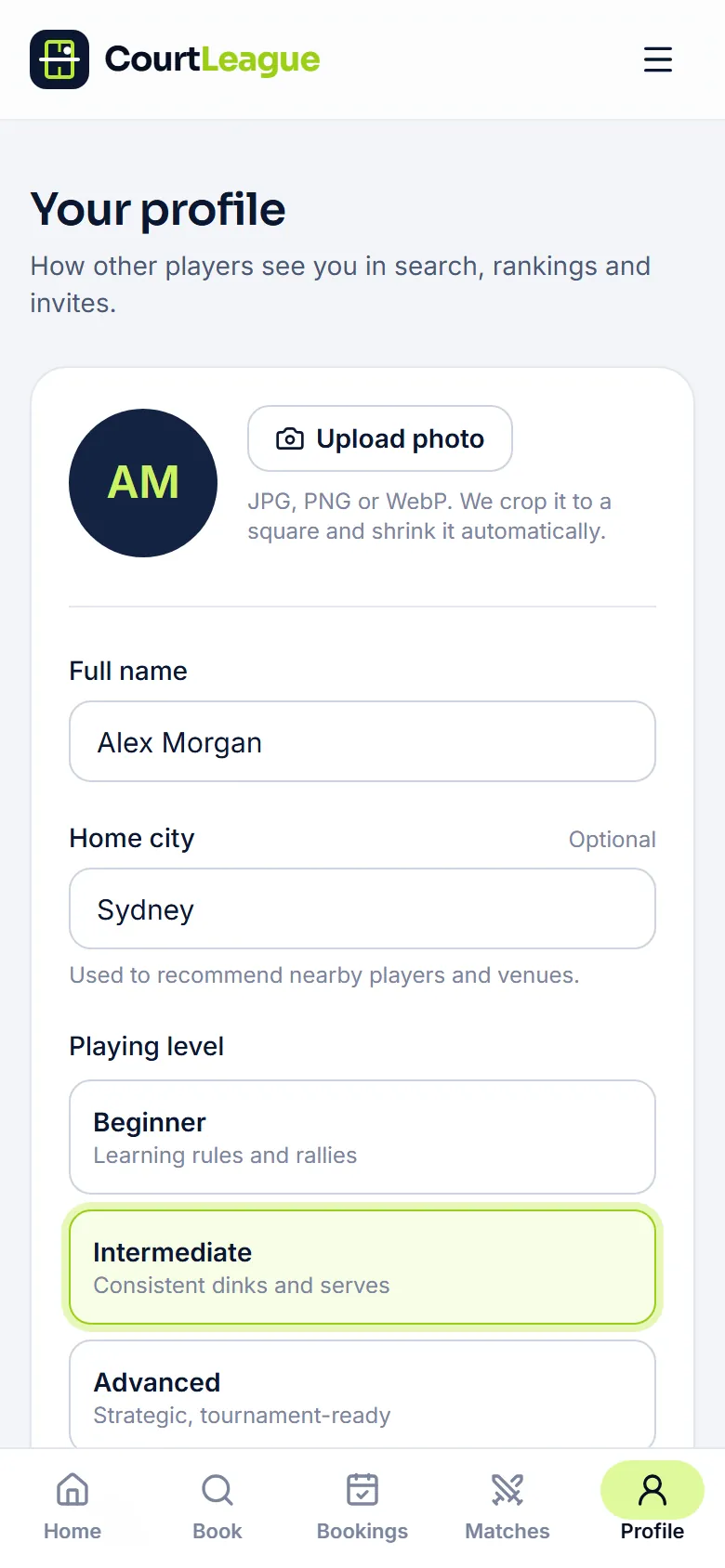
Sign up with your email, then finish your profile with your main sport (pickleball, tennis or basketball), skill level and area. Add a profile photo with “Upload photo”: it is cropped to a square and shrunk automatically. Your skill level helps other players find opponents at the right level. Everyone starts with a rating of 3.0 in each sport they play.
Where: ProfileCreate account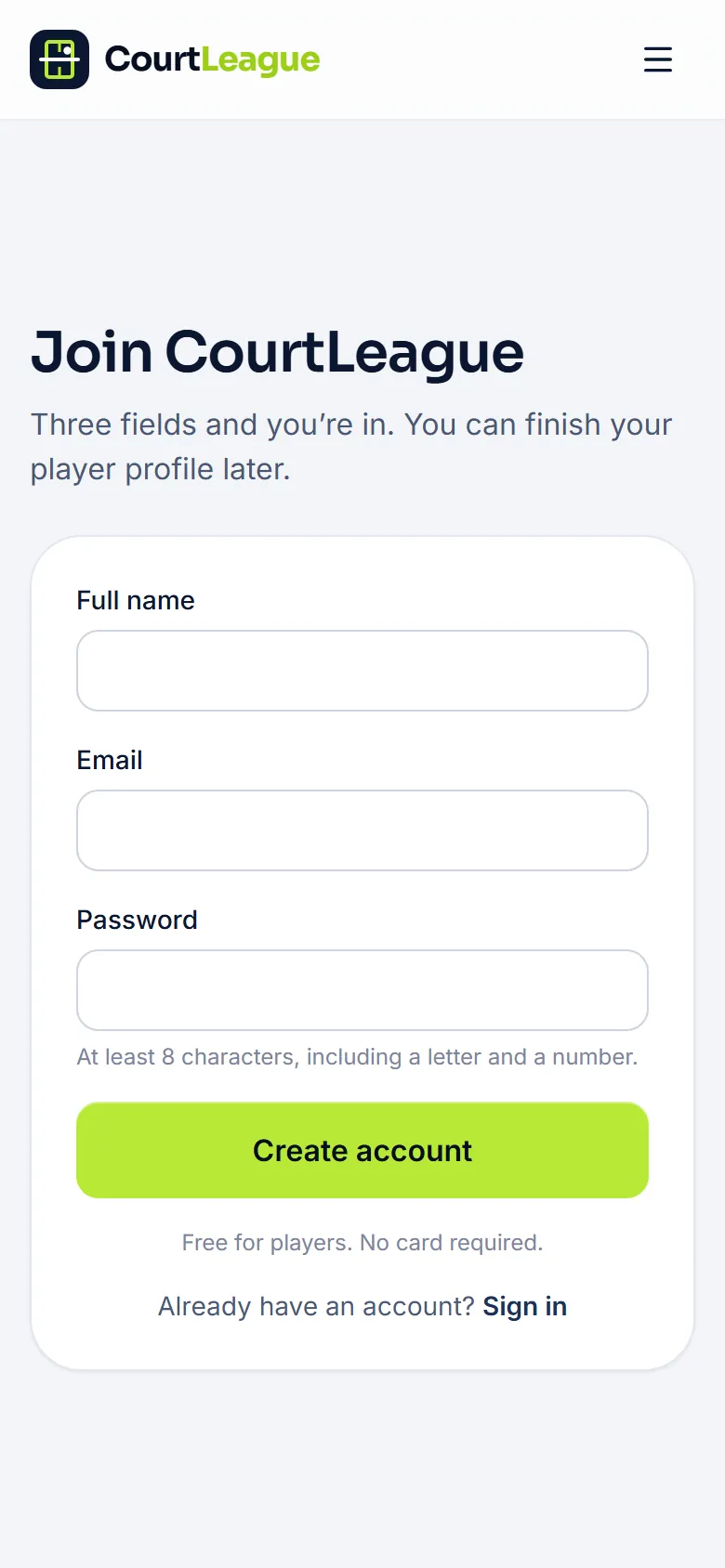
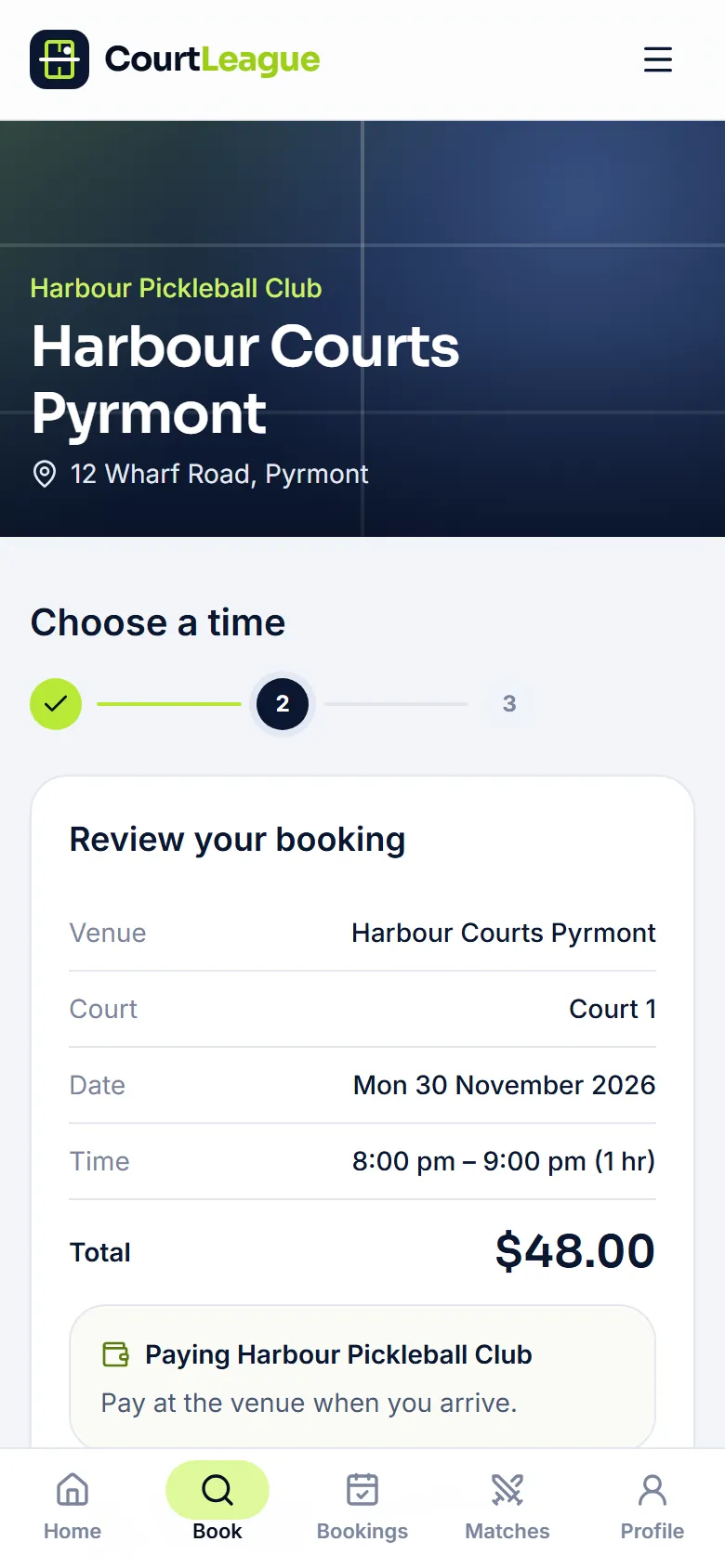
Find and book a court
Open Find courts and choose a sport if you like, pick a venue, choose a date, then tap a free time on the court you want and press “Confirm booking”. You will see the price before you confirm.
Where: Find courts → venue → pick a timeFind courtsWait for the club if it says “Pending”
Some clubs confirm every booking by hand. Your booking shows as Pending until the club confirms it. If the club declines, the court is released and you can pick another time.
Where: My bookingsPay at the venue
CourtLeague does not take online payments. You pay the club directly when you arrive, the way the club describes on its venue page (for example cash or card at reception).
Manage or cancel your booking
My bookings lists everything that is coming up. You can add a booking to your phone calendar, or cancel it before the club’s free-cancellation cut-off.
Where: My bookingsMy bookings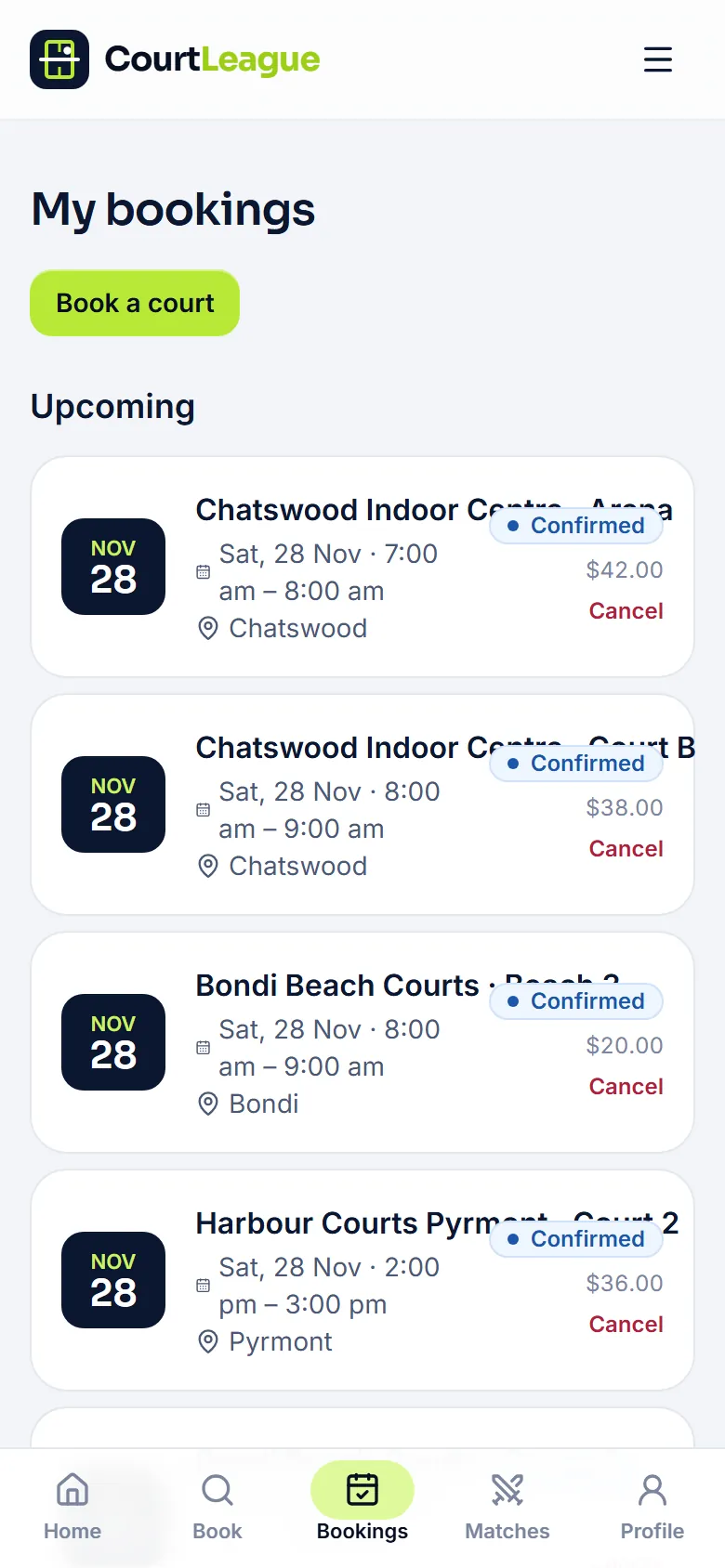
Find players and send a challenge
Browse Players to find people near your level, then press “Invite to a match” and choose a time (and a venue if you like). Your opponent accepts or declines in their Matches page. You can challenge someone even if you have not booked a court yet.
Where: Players → Invite to a matchFind players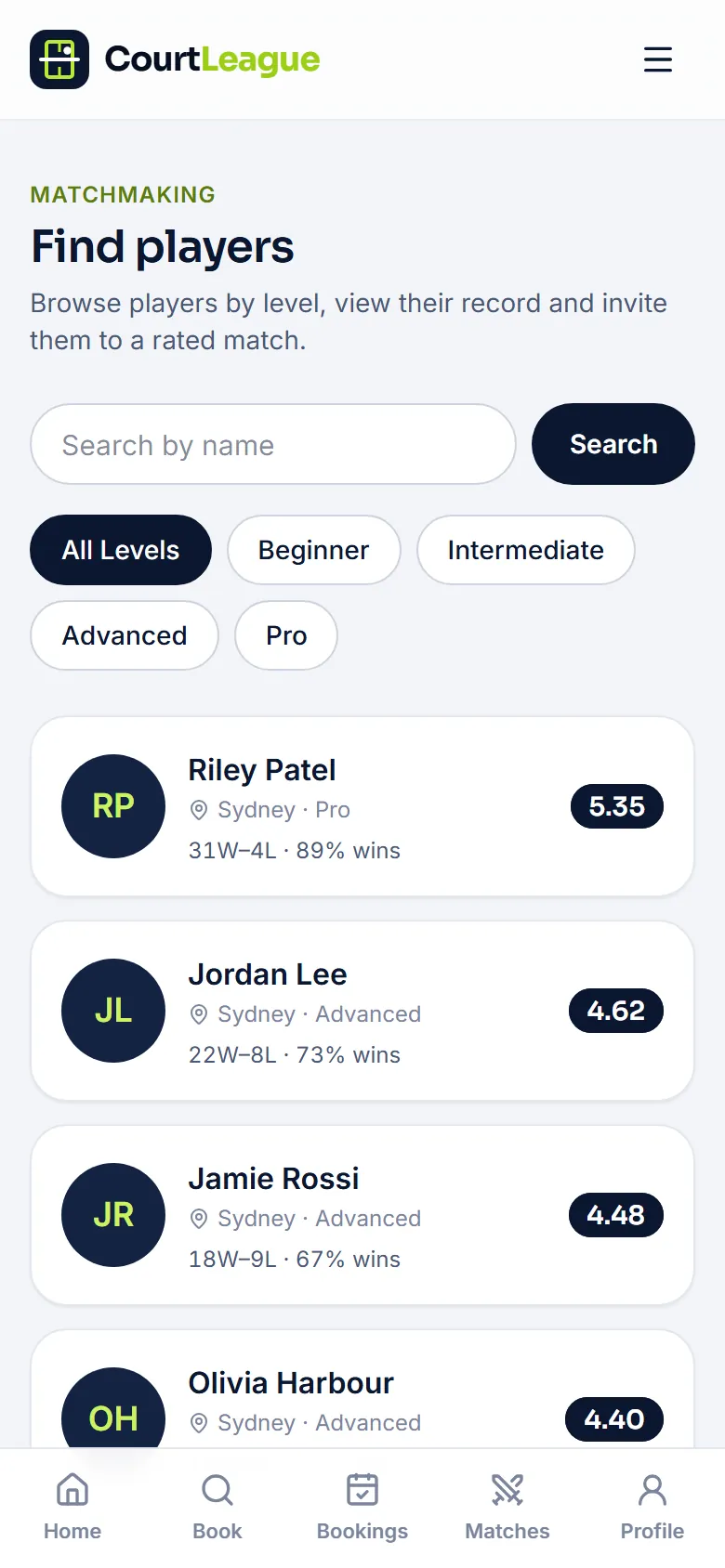
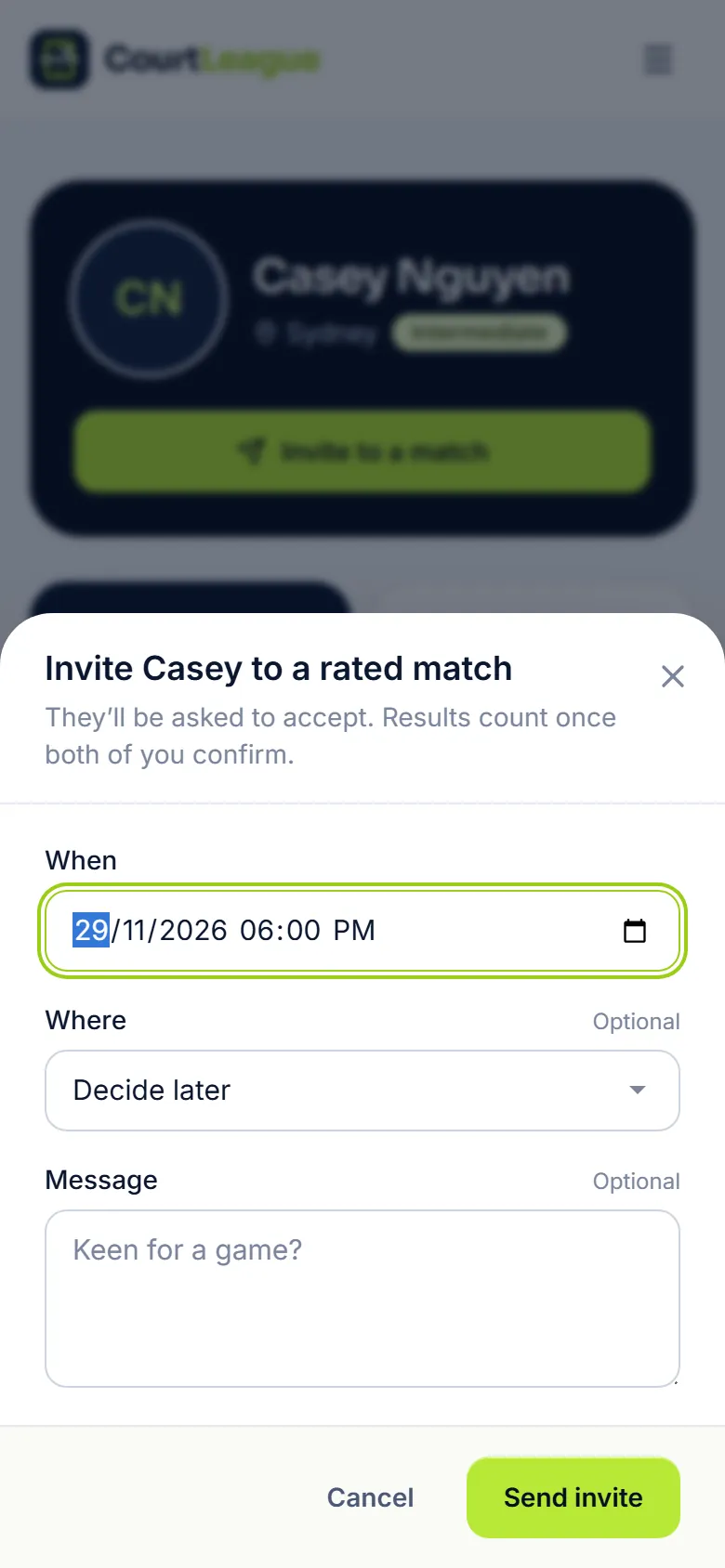
Enter the score after you play
Open Matches and press “Enter result”. Your opponent then confirms the score (or disputes it if it is wrong). Ratings only change once both players agree.
Where: Matches → Enter resultMy matches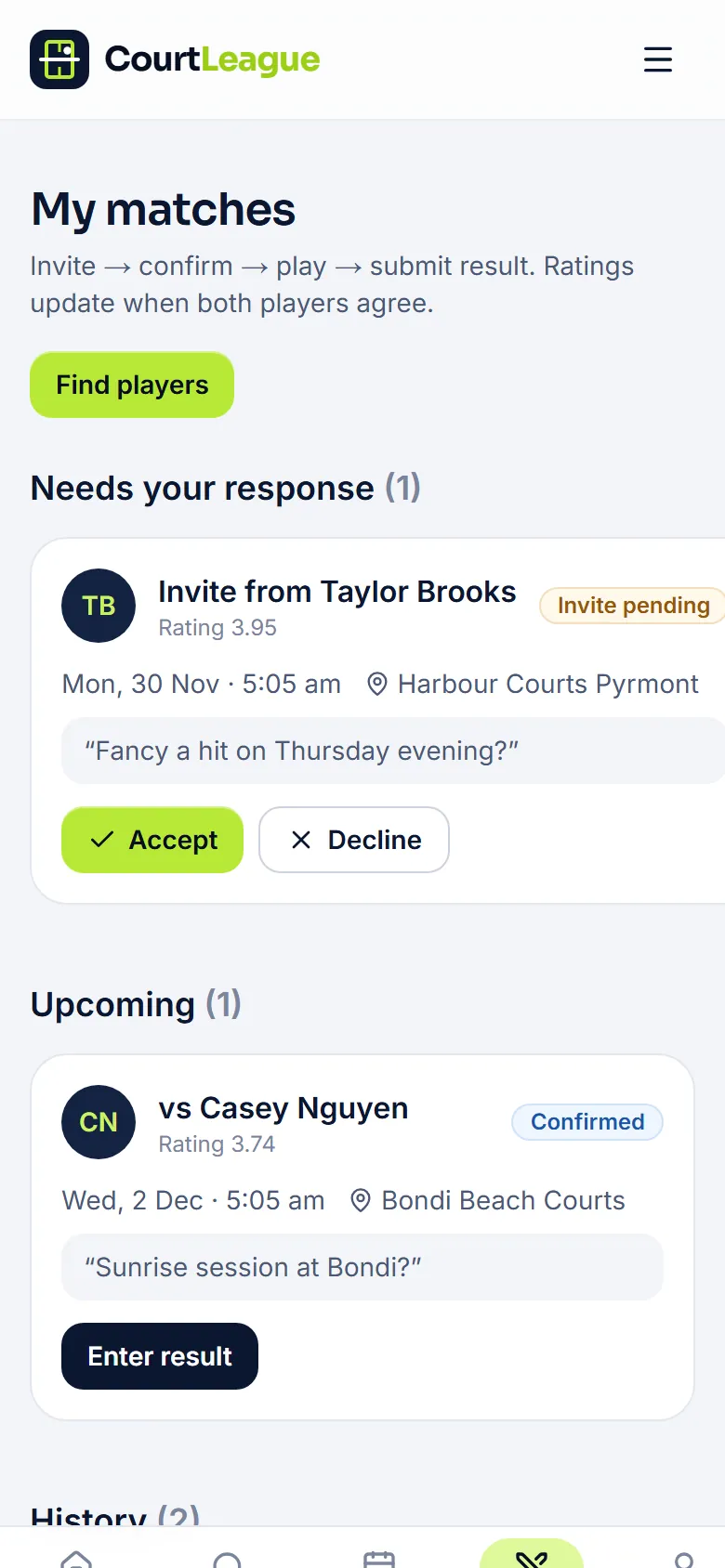
Climb the rankings
Pickleball and tennis each have their own rating and rankings, from 1.0 to 8.0. When you invite someone, choose the sport. Beating a higher-rated player moves you up more than beating a lower-rated one, and losing to a lower-rated player costs more. See where you stand on the Rankings page. Basketball is played in teams, so it has team tournaments instead of individual ratings.
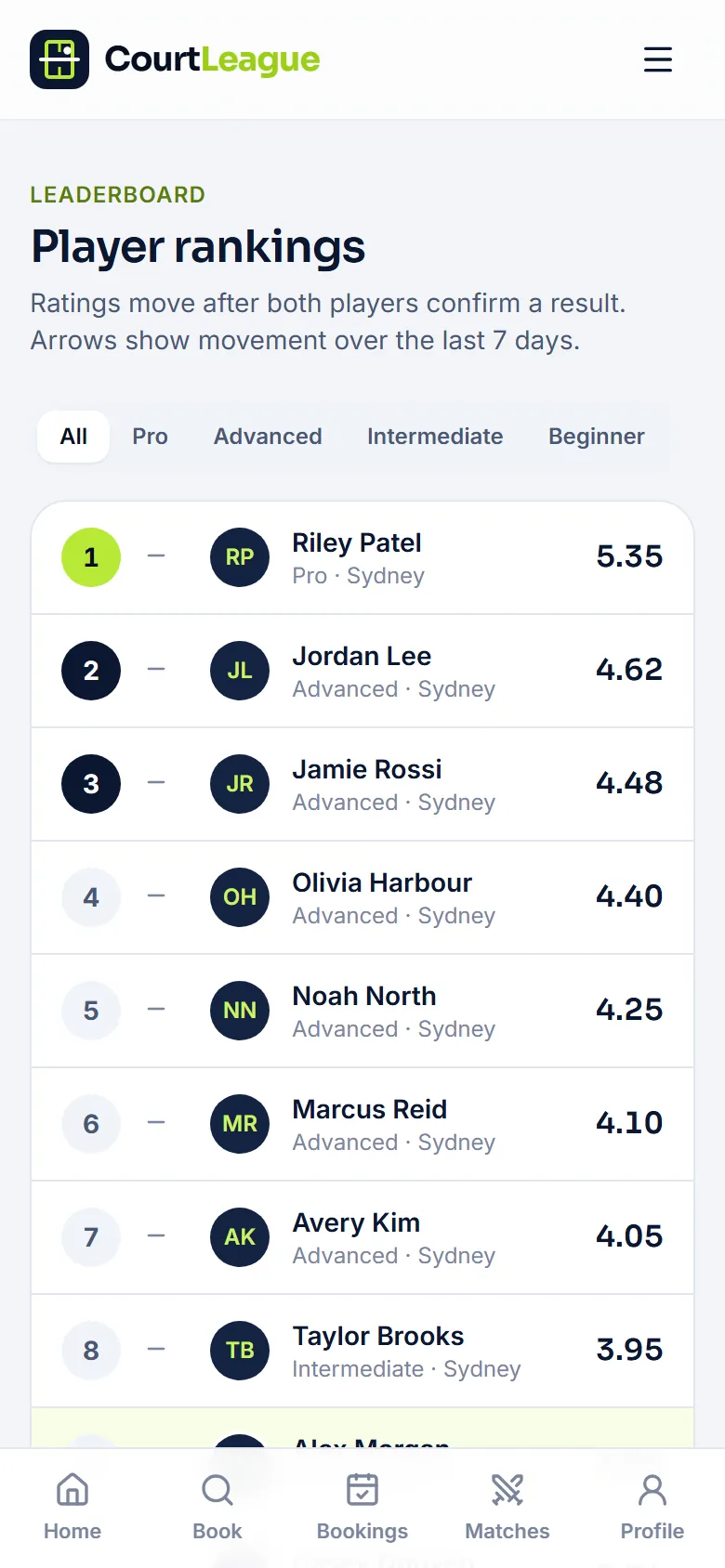
Setting up and running your club
For club owners and their staff. Listing your club and taking bookings is free. Once you have a club, open it from “Club portal” in your account menu.
Register your club
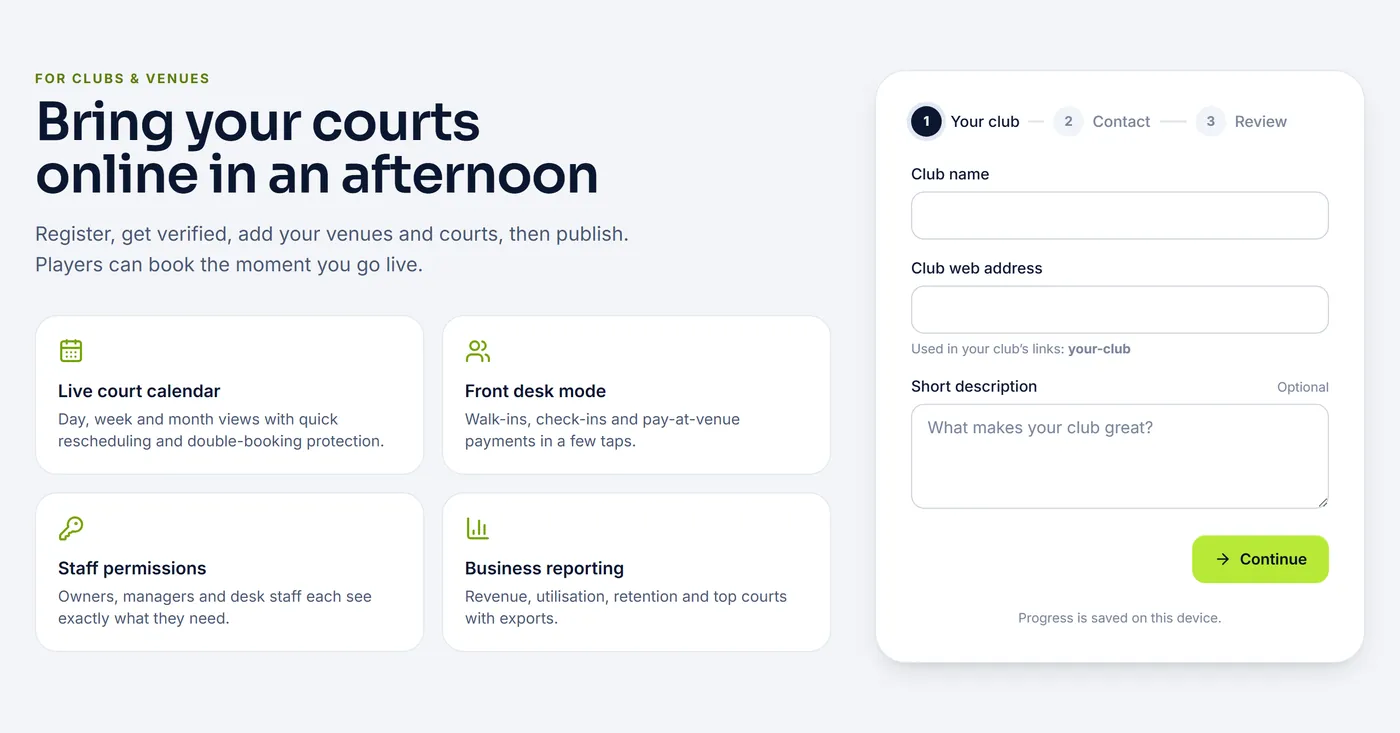
Sign in (or create an account), then fill in Register your club. CourtLeague reviews new clubs, usually within one business day. You can set everything up while you wait. Your club only appears to players once it is approved.
Add your venues and courts
In Venues & courts, add each venue with its address and opening hours, then add its courts with an hourly price and an optional peak price.
Where: Club portal → Venues & courts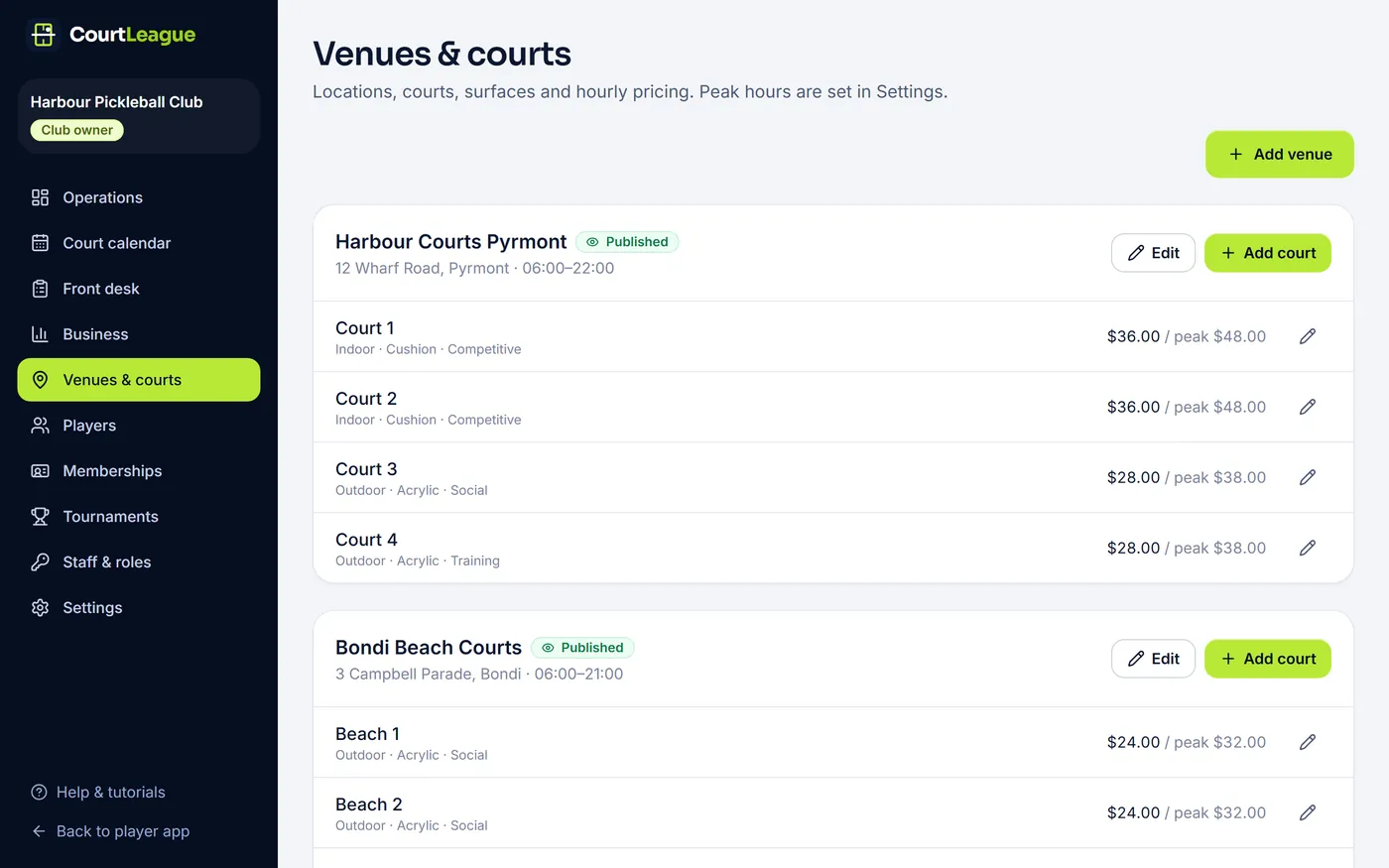
Set your booking rules
In Settings, choose the shortest and longest booking, your peak hours and how many hours before the start players can cancel for free. Turn “Confirm player bookings automatically” off if you want to approve each booking yourself.
Where: Club portal → Settings → Booking policy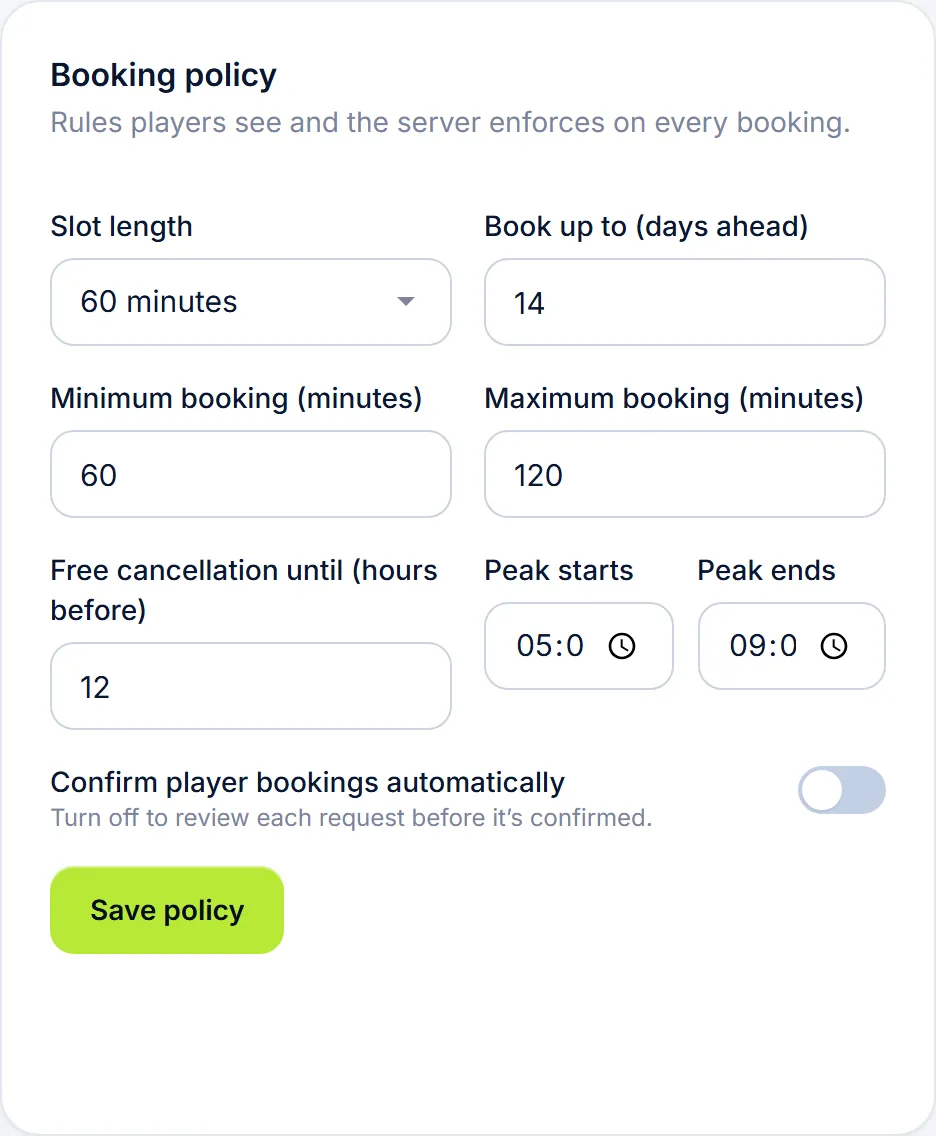
Tell players how to pay you
Players pay you at the venue. Under “How players pay you”, write a short note such as “Cash or card at reception”. Players see it when they book.
Where: Club portal → Settings → How players pay you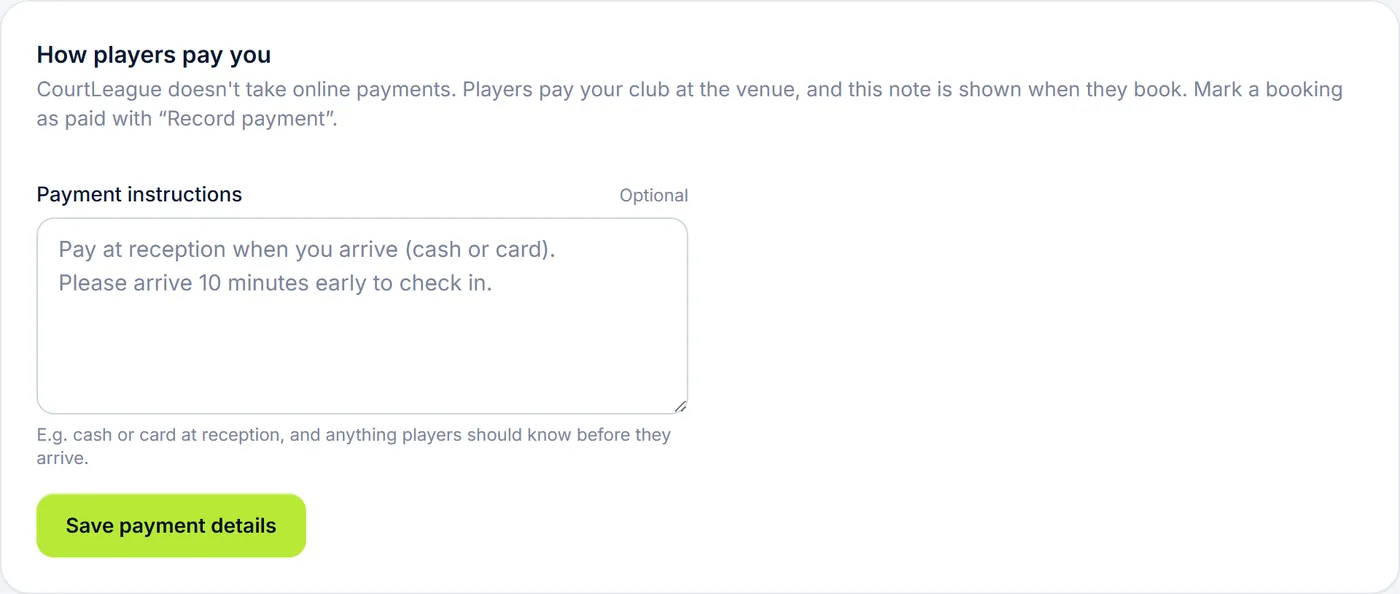
Confirm booking requests
If auto-confirm is off, new bookings appear under “Booking requests” on the Operations page. Press Confirm or Decline. You can also open any booking in the Court calendar to confirm, cancel, reschedule or change its court.
Where: Club portal → Operations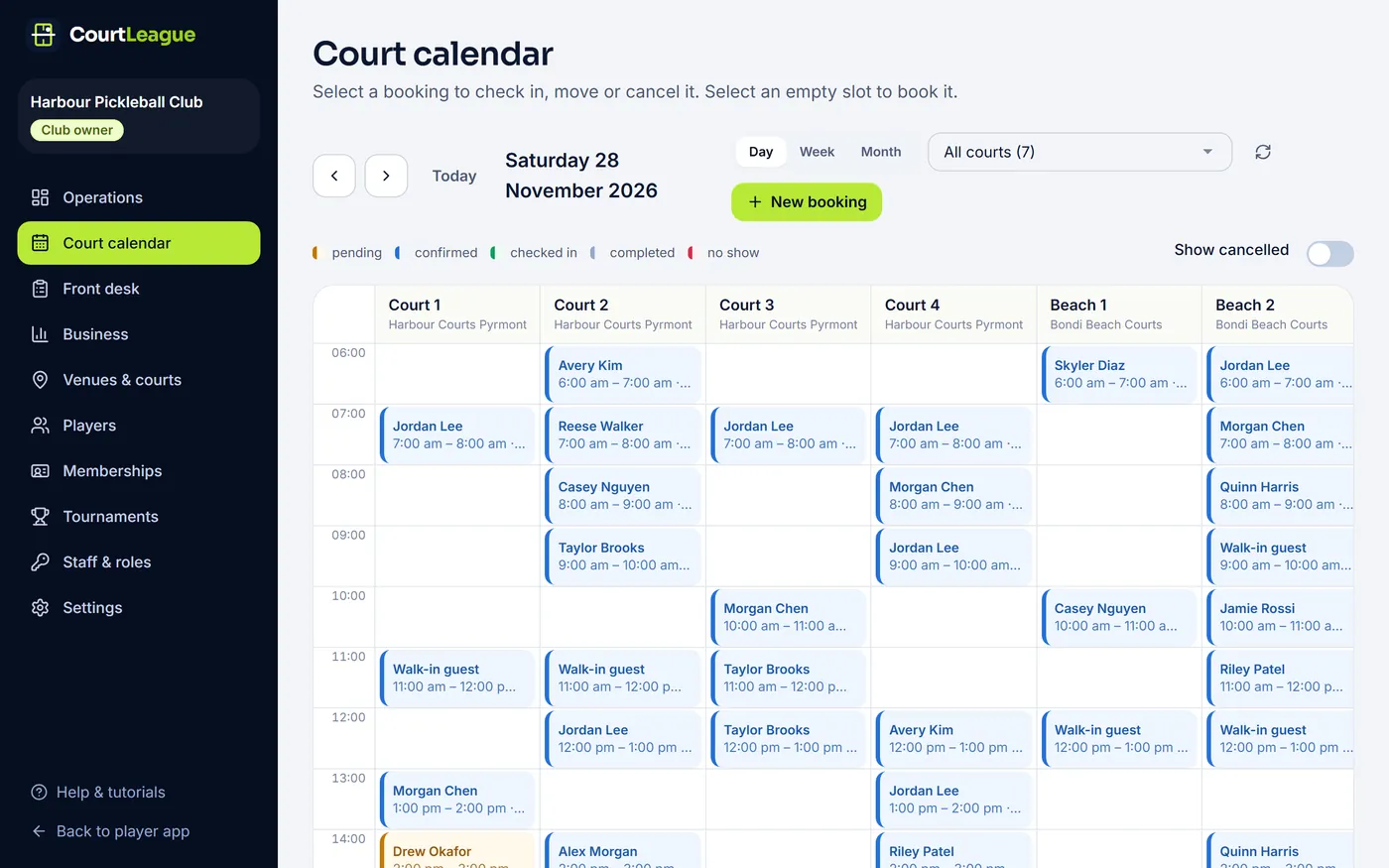
Run the front desk
Front desk shows today’s bookings. Press “Check in” when players arrive, take their payment, then press “Record payment” (cash, card or other) so your reports stay accurate. Use “New booking” for walk-ins and phone bookings.
Where: Club portal → Front desk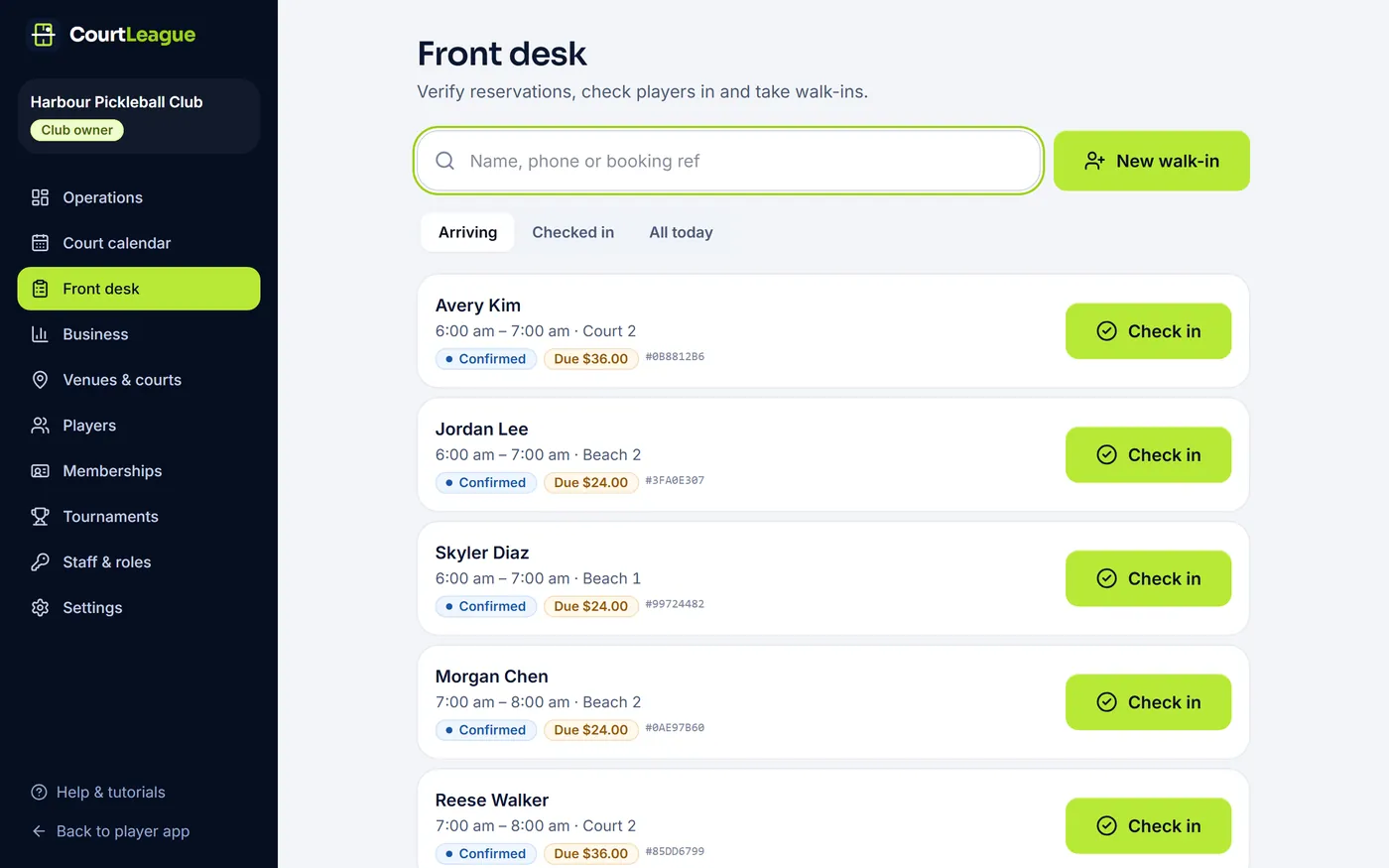
Add your team
In Staff & roles, add people by the email they signed up with. Choose Admin, Manager or Front desk. Each role has sensible defaults, and you can switch individual permissions on or off with “Permissions”.
Where: Club portal → Staff & roles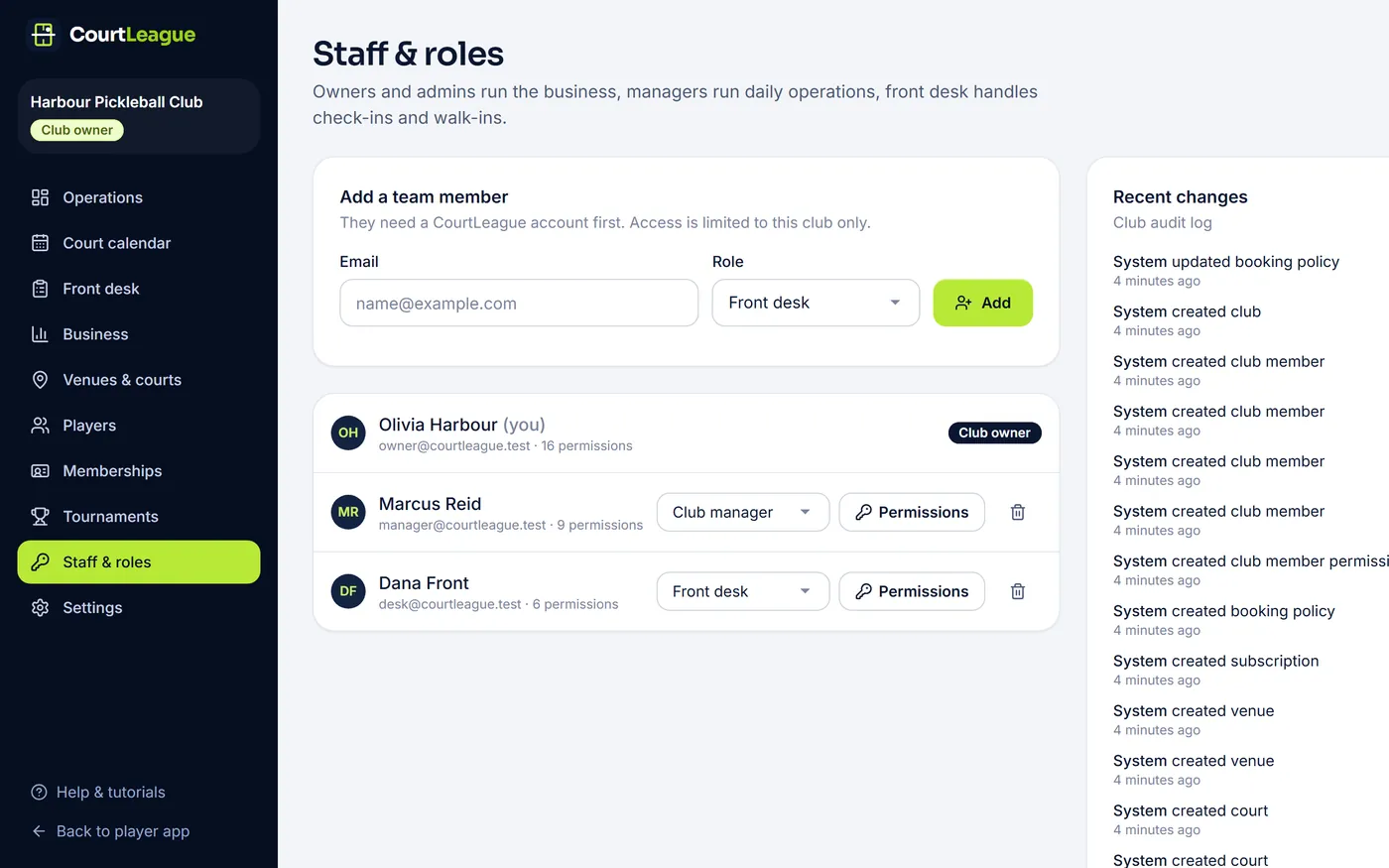
Memberships, players and reports
Create memberships for your regulars, see who plays at your club under Players, and check bookings, court use and payments you recorded in Business (with CSV export).
Where: Club portal → Memberships / Players / Business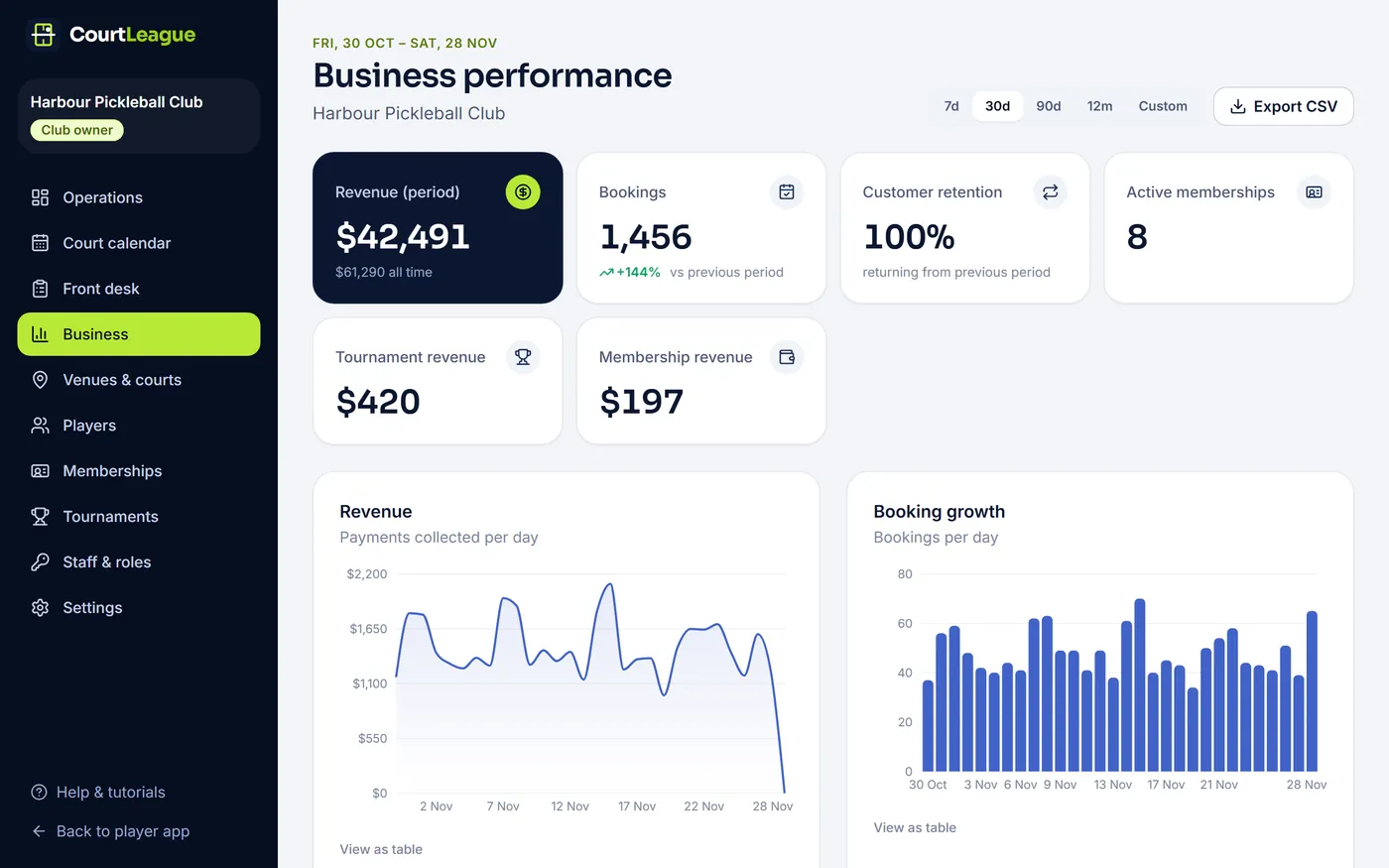
Tournaments
Clubs can run singles, doubles and mixed events as a knockout or a round robin. Players enter from the Tournaments page.
Running a tournament (clubs)
Create the event
Press “New tournament”. Choose the sport, then the event: for pickleball and tennis, singles or doubles (including men’s, women’s and mixed); for basketball, 3x3 or 5v5 teams. Then pick the format: Knockout (lose once and you’re out) or Round robin (everyone plays everyone, up to 16 entries). Add the dates, venue, level, entry fee and maximum entries, then publish it or save it as a draft.
Where: Club portal → Tournaments → New tournament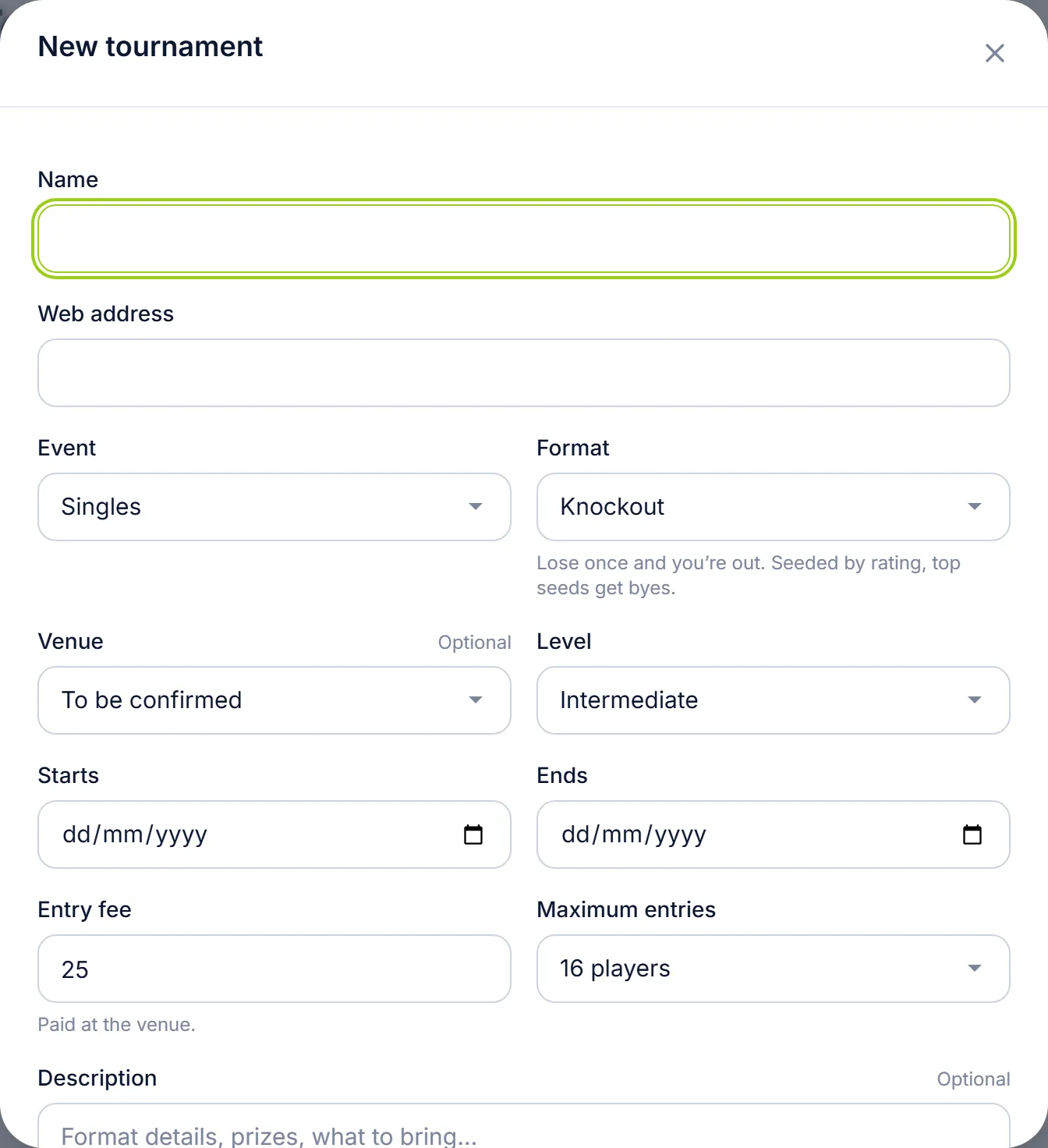
Take entries
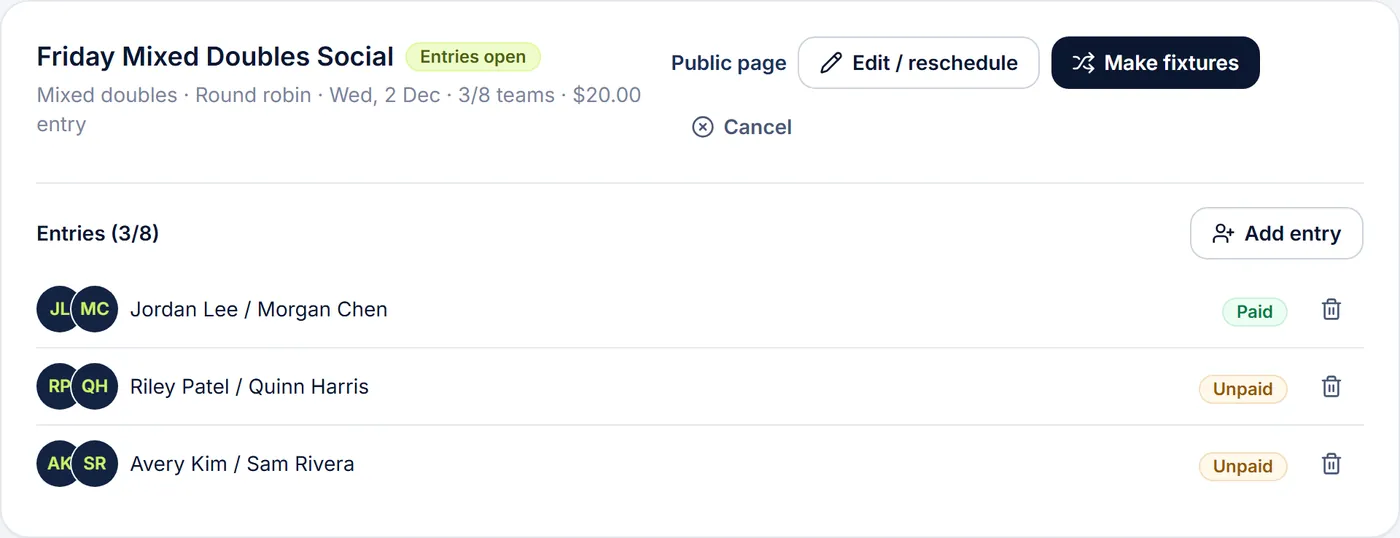
Players enter from the tournament’s public page (doubles players add their partner, who must accept the request; those teams show “Waiting for partner” and the draw waits until every team is complete). You can also press “Add entry” to add players yourself, including guests without an account: just type their names. For basketball, add teams by name. Tap Unpaid/Paid on an entry to track who has paid the entry fee at the venue.
Edit, reschedule or cancel
Press “Edit / reschedule” to change the dates, venue, fee or details at any time before the event finishes. The event type and format are locked once someone has entered. Press “Cancel” to cancel the event; your reason is shown to players on the event page.
Make the draw
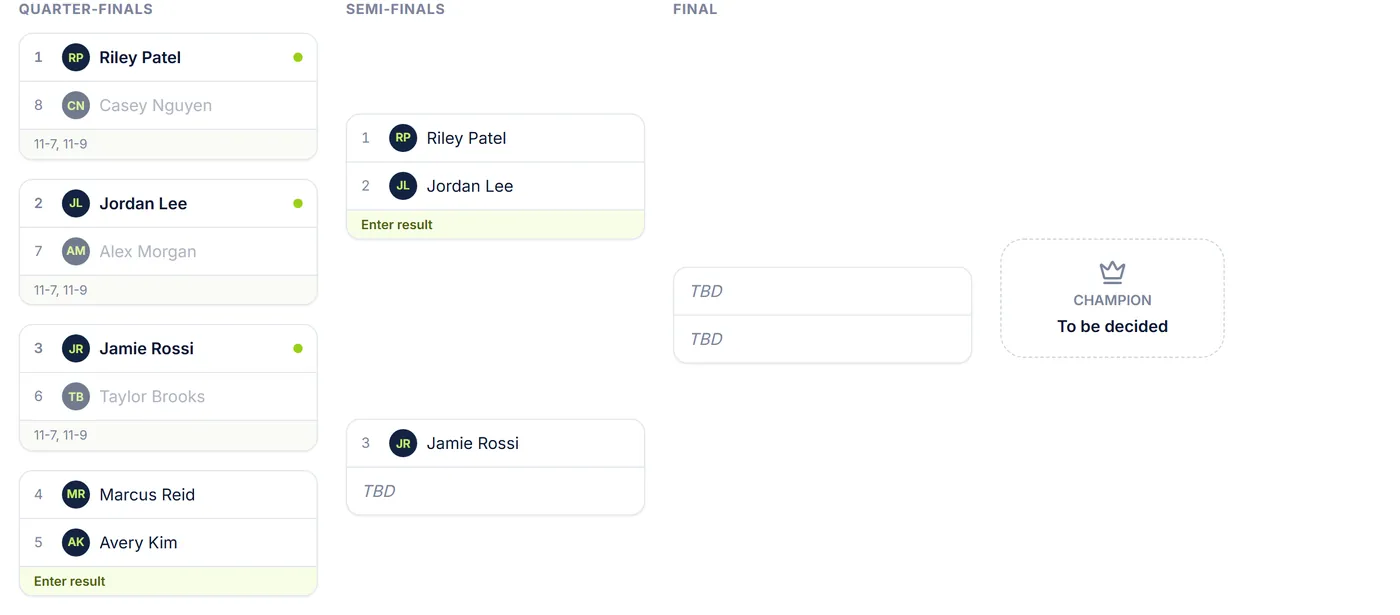
When you are ready (at least 2 entries), press “Draw bracket” (knockout) or “Make fixtures” (round robin). Entries are seeded by rating in the tournament’s sport; for doubles the team’s average rating is used. Basketball teams are drawn in the order they entered. In a knockout the top seeds get byes if the bracket isn’t full. Making the draw closes entries.
Record results
Click any match, choose the winner and type the score with the winner’s side first (for example 11-7, 9-11, 11-5 in pickleball, 6-4, 6-3 in tennis or 21-15 in basketball). Knockout winners move to the next round automatically. Round robin standings update by wins, then points difference. Made a mistake? Click the match again to correct it (in a knockout, before the next round is played). The tournament completes when the last result is in.
Entering a tournament (players)
Find an event
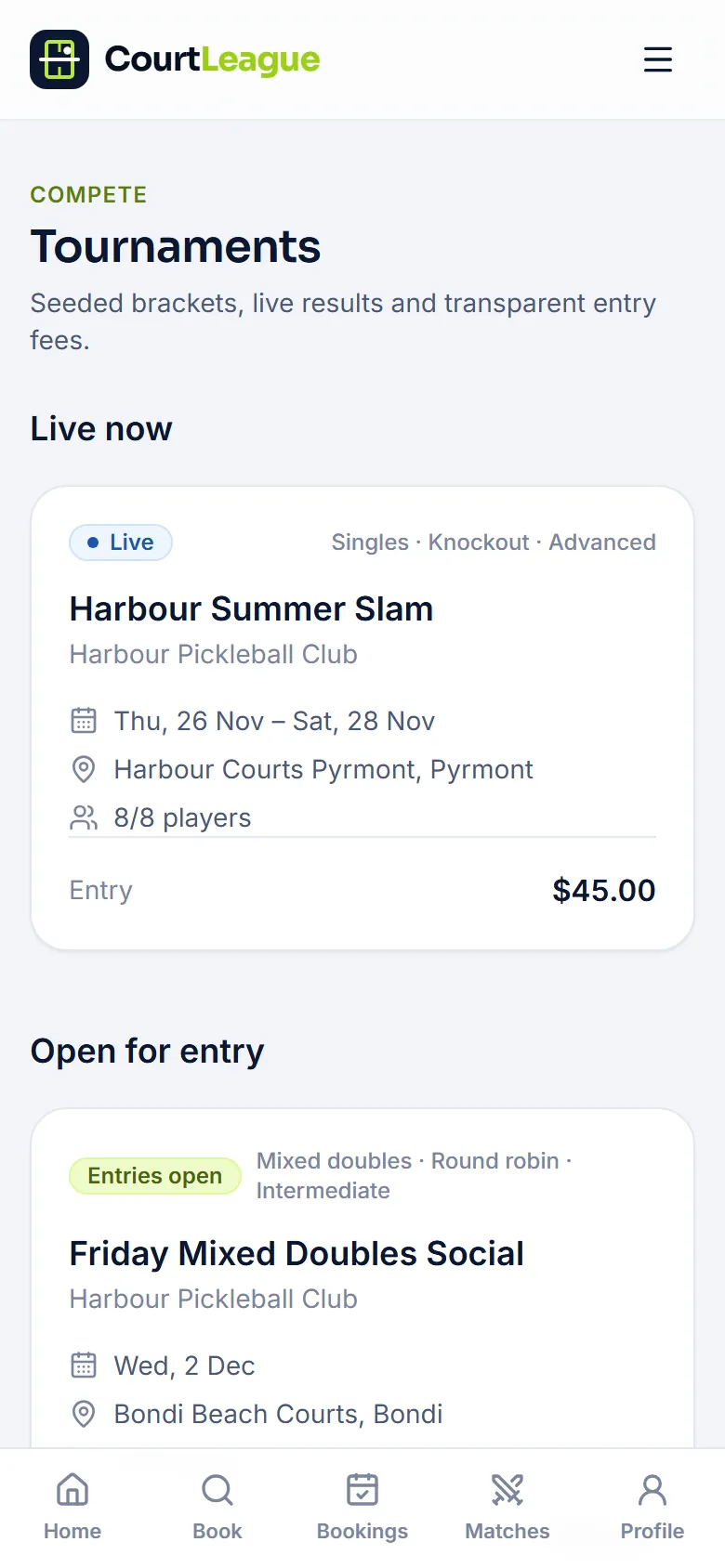
Open Tournaments and pick a sport to see upcoming events, whether they are singles, doubles or teams, knockout or round robin, the level, entry fee and how many spots are left.
Enter (with a partner or team)
Open the event and press “Enter tournament”. For doubles press “Enter with a partner”, then search for your partner or type their name if they aren’t on CourtLeague. A partner on CourtLeague gets a request on their dashboard and the event page: your team is entered once they press Accept. For basketball press “Enter a team” and give your team a name; you are the captain. Pay the entry fee to the club at the venue.
Changed your mind?
Press “Withdraw” on the event page any time before the draw. For doubles and team events this removes your whole team. After the draw, contact the club.
Follow the draw
Once the club makes the draw, the bracket or round-robin standings appear on the event page and update as results come in.
- • Tournament results do not change player ratings. Only confirmed matches between players do.
- • Men’s, women’s and mixed events are labels: the club checks entries are in the right category.
- • If a club cancels an event, the event page shows it as cancelled with the club’s reason.
Common questions
Still stuck? Email the developer from the Support us page.
Which sports can I play?
Pickleball, tennis and basketball. Clubs choose the sport for each court and tournament. Pickleball and tennis have player ratings and rankings; basketball has team tournaments (3x3 and 5v5).
How do I add or change my profile photo?
Open your account menu (your picture or initials, top right) and choose “My profile & photo”, then press “Upload photo”. It works for any account, old or new, including club owners. The photo is cropped to a square and shrunk automatically.
Who can see my name and rating?
Only people signed in to CourtLeague: players, club staff and admins. Visitors who are not signed in cannot see Find players, Rankings or the names in tournament draws. To hide yourself from other players too, turn off “Show me in player search and rankings” on your profile.
Is CourtLeague really free?
Yes. It is free for players and clubs, with no subscriptions and no booking fees. If you want to help, share it with your club or send feedback from the Support us page.
Can I pay for a court online?
No. CourtLeague does not take online payments. You pay the club at the venue, the way the club describes on its venue page.
Why does my booking say “Pending”?
That club confirms bookings by hand. You will see it change to Confirmed in My bookings once the club accepts it.
How does the score get confirmed?
One player enters the score and the other confirms it. If the score is wrong, press Dispute instead. Ratings only change after a result is confirmed.
Someone asked me to be their doubles partner. What do I do?
You’ll see the request on your dashboard and on the tournament page. Press Accept to join their team or Decline to say no. You’re never entered without accepting, and once you decline, that player can’t ask you again for the same tournament.
Why does it say I’m doing something too often?
To stop spam, there are limits on how often you can book, send match invites, enter tournaments, search for players and change your photo. Normal use never reaches them. Wait a little and try again.
Who approves new clubs?
The CourtLeague team reviews every new club before it goes live, usually within one business day.
I work at a club. How do I get access?
Create a free CourtLeague account, then ask your club owner or admin to add your email in Staff & roles. The club portal appears once they have added you.